
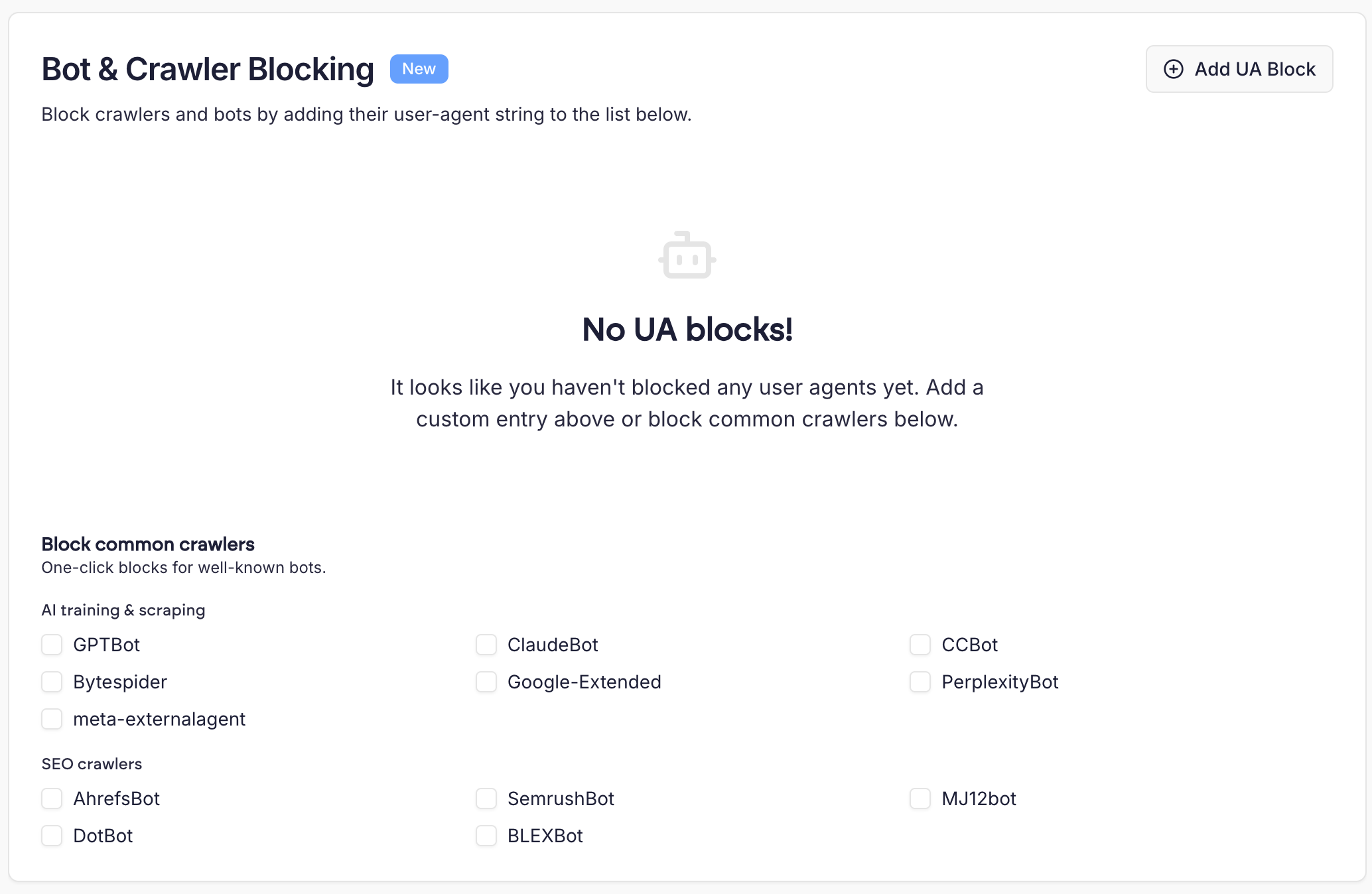
 Any request whose User-Agent header contains a blocked string will receive a 403 Forbidden response. Matching is case-insensitive, so a block for
scrapy will also match Scrapy.
A robots.txt file only asks bots not to crawl your site- well-behaved bots respect it, but nothing enforces it. Bot & Crawler Blocking is enforced at the server level, so blocked bots receive a 403 response whether they respect robots.txt or not.
Adding a new block
Click the ‘Add UA Block’ button. You’ll be prompted to enter the user-agent string you want to block, as well as an optional comment.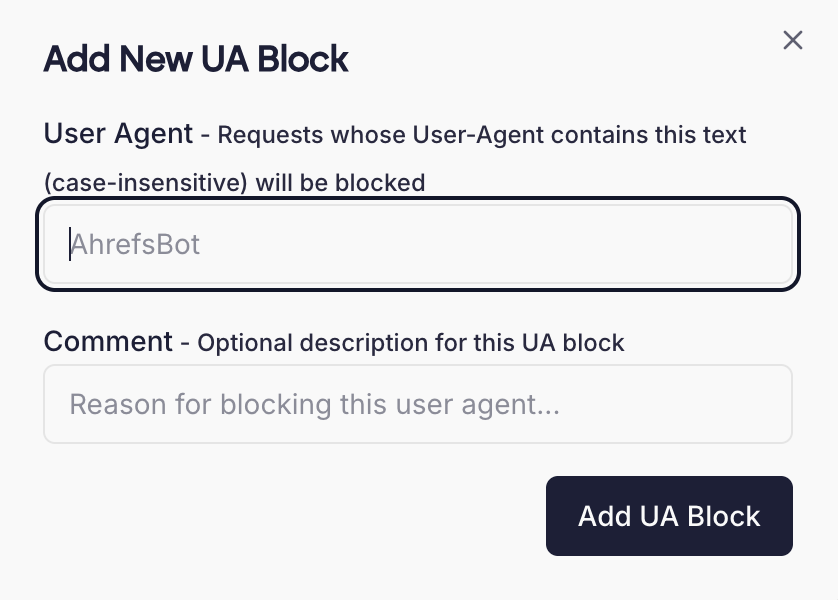 You don’t need to enter the full user-agent string.
Blocking common crawlers
For well-known bots we provide one-click blocks, so you don’t need to look up their user-agent strings. Simply tick the box for each bot you want to block. These are grouped into two categories:- AI training & scraping - bots that crawl sites to gather content for AI training or retrieval, such as GPTBot (OpenAI), ClaudeBot (Anthropic), CCBot (Common Crawl), Bytespider, Google-Extended, PerplexityBot and meta-externalagent.
- SEO crawlers - bots operated by SEO tools, such as AhrefsBot, SemrushBot, MJ12bot, DotBot and BLEXBot.
None of the one-click presets block regular search engine crawlers such as Googlebot or Bingbot, so blocking them will not affect how your site appears in search results. Take care when adding custom blocks- blocking a search engine’s crawler will affect your site’s indexing.